What Is the Best Note Taking System? 10 Methods Reviewed for 2025
The search for the 'perfect' note-taking system can feel overwhelming. With countless methods vying for attention, from analog classics to complex digital frameworks, it's easy to get lost in a sea of conflicting advice, endlessly tweaking your setup instead of actually getting work done. This guide is designed to cut through that noise and provide clarity.
We will explore 10 powerful and distinct systems, dissecting each one to reveal its core mechanics, inherent strengths, and ideal use cases. You won't find a one-size-fits-all declaration here. Instead, you'll gain a practical understanding of time-tested academic techniques like the Cornell Method alongside modern digital powerhouses like PARA and Zettelkasten.
This comprehensive roundup is about more than just theory. For each system, we provide actionable implementation details, helping you move from concept to practice immediately. Our goal is to equip you with the knowledge to critically evaluate what you truly need. You'll learn not just what these systems are, but how they function in real-world scenarios for students, professionals, and lifelong learners.
By the end, you'll have a clear roadmap to selecting, adapting, or even combining these methods to construct the best note taking system for your specific goals and cognitive style. This isn't just about capturing information; it's about transforming scattered thoughts into an organized, interconnected, and powerful personal knowledge base. We will also explore how advanced tools like Obsidian, particularly with frameworks like Obsibrain, can integrate these principles to address common pain points like information retrieval and idea connection, creating a truly dynamic second brain.
1. The Cornell Note-Taking System: Structured for Maximum Recall
The Cornell Note-Taking System is a highly structured method designed for active learning and efficient recall. Developed at Cornell University, this system divides a single page into three distinct sections, transforming passive note-taking into an active process of understanding and review. Its layout forces you to engage with the material on multiple levels, making it a contender for the best note taking system for students and professionals in structured learning environments.
How It Works
The magic of the Cornell method lies in its unique page structure. Before you begin, you divide your page into three parts:
Main Notes Column (Right): This is the largest section. During a lecture, meeting, or while reading, you'll jot down your primary notes here. Focus on capturing key ideas, concepts, and data.
Cues/Questions Column (Left): This narrower column is for post-session work. After taking your initial notes, you review them and pull out main ideas, keywords, or potential test questions. These act as triggers for recall.
Summary Section (Bottom): This area is reserved for a concise, one- or two-sentence summary of the entire page's content. Writing this forces you to synthesize the information at a high level.
Who It's For
This method excels in scenarios where retention and recall are critical. A law student can use the main column for case details and the cue column for legal principles and precedents. Similarly, a medical student can detail physiological processes on the right and list key anatomical terms or diagnostic questions on the left. It provides a systematic framework for breaking down dense, complex information.
Actionable Tips for Implementation
To get the most out of the Cornell system, follow these best practices:
Prepare Your Layout: Draw your lines before the session starts so you're ready to capture information without delay.
Review and Cue Promptly: Fill in the cue column as soon as possible after the note-taking session to reinforce the material while it's fresh.
Self-Quiz Regularly: Cover the main notes column and use your cues to actively recall the information. This is a powerful study technique.
Summarize Immediately: Writing the summary right after the lecture solidifies your understanding and aids long-term memory encoding.
For digital note-takers using Obsidian, this structured format is perfect for creating powerful templates. You can set up a Cornell-style note with predefined sections, streamlining your workflow for every new lecture or meeting. This is a core concept in systems like Obsibrain, where repeatable structures are key to efficiency. For more guidance on this, explore how templates work in a modern note-taking setup.
2. Zettelkasten (Slip Box) Method: Building an Interconnected Web of Ideas
The Zettelkasten, or "slip-box," method is a powerful system for knowledge management and creative thinking. Popularized by sociologist Niklas Luhmann, this system treats notes not as isolated entries but as nodes in an ever-expanding web of interconnected ideas. It excels at facilitating non-linear thinking and generating novel insights, making it a strong candidate for the best note taking system for researchers, writers, and anyone engaged in long-term intellectual projects.
How It Works
Zettelkasten's genius lies in its atomic and linked structure. Rather than storing information by topic, you create individual notes, each containing a single, discrete idea.
Atomic Notes: Every note captures just one concept and is written in your own words to ensure deep processing. Each is given a unique identifier.
Linking: You explicitly connect new notes to existing, related ones. This creates a network of thought that mimics how the human brain forms associations, allowing you to discover unexpected connections.
Index and Keywords: An index note serves as an entry point into major topics, linking to key notes within your system, while keywords or tags help with discoverability.
Who It's For
This method is ideal for those whose work relies on synthesizing information and generating original ideas. A PhD student can use Zettelkasten to connect theories from different papers, spotting research gaps. Likewise, an author can build a web of plot points, character traits, and world-building details, allowing new narrative threads to emerge organically from the connections. It's built for complexity and long-term creative development.
Actionable Tips for Implementation
To build an effective Zettelkasten, adopt these core habits:
One Idea, One Note: Strictly adhere to creating atomic notes. This forces clarity and makes linking more precise.
Write in Your Own Words: Never just copy-paste. Paraphrasing ensures you understand the concept before it enters your system.
Link Generously: Every time you create a note, ask, "How does this connect to what I already know?" Then, create those links.
Review and Traverse: Regularly browse your network by following links. This practice helps reinforce knowledge and sparks new insights.
In a digital tool like Obsidian, Zettelkasten is a native concept. Backlinks and graph views make it effortless to create and visualize connections. An integrated system like Obsibrain leverages this by providing pre-built structures (MOCs, or Maps of Content) that act as sophisticated index notes, helping you navigate your growing knowledge base with purpose.
3. Mind Mapping: Visualizing Connections for Creative Insight
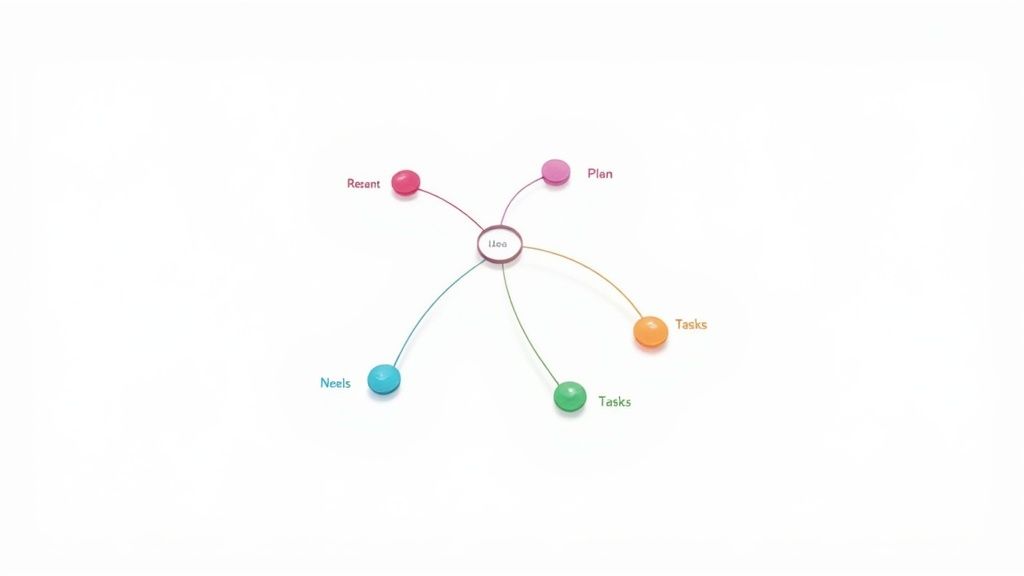
Mind Mapping is a dynamic, non-linear note-taking method that mirrors the brain's natural way of thinking. Popularized by Tony Buzan, this system starts with a central concept and radiates outwards with associated ideas, creating a visually intuitive map. Instead of capturing information in a rigid, top-down list, it organizes thoughts organically, making it a strong candidate for the best note taking system for brainstorming, planning, and creative problem-solving.
How It Works
The strength of Mind Mapping is its simple yet powerful structure. You begin with a blank page and a central theme, then build your web of knowledge from there.
Central Idea: Start in the center of the page with your main topic, often represented by an image or a keyword. This is your conceptual anchor.
Main Branches: Draw thick branches radiating from the center. Each branch represents a primary sub-topic or key thought related to your central idea.
Sub-Branches: From these main branches, draw smaller, thinner branches for supporting details, examples, or secondary thoughts. This creates a nested hierarchy of information.
Keywords and Images: Use single keywords or short phrases on each branch and incorporate colors, symbols, and images to enhance memory and association.
Who It's For
This method is ideal for visual thinkers and anyone engaged in creative or strategic work. A project manager can use a mind map to outline all project phases, dependencies, and stakeholders in a single view. A writer can plot out characters, settings, and plot points, seeing the connections between story elements. It excels in any scenario where understanding relationships and generating new ideas is more important than linear transcription.
Actionable Tips for Implementation
To maximize the effectiveness of your mind maps, apply these proven techniques:
Use One Word Per Branch: Forcing yourself to use a single keyword enhances clarity and encourages concise, potent associations.
Embrace Color and Imagery: Assign colors to different themes or branches. This visually codes information, making it easier to recall and navigate.
Start with Key Themes: Establish your 5-7 main branches first to create a solid framework before diving into granular details.
Use Curved Lines: Draw organic, curved branches rather than rigid straight lines. The brain finds this more visually appealing and easier to follow.
For digital users, Obsidian's Canvas feature is a game-changer for mind mapping. You can create cards for each idea and visually link them, building a dynamic and interactive map. In a system like Obsibrain, you can link these mind map nodes directly to detailed project notes or tasks, seamlessly integrating high-level brainstorming with actionable execution.
4. The Outlining Method: A Hierarchy for Clarity
The Outlining Method is a classic, hierarchical system that organizes information into a logical structure of main points and sub-points. Popularized by traditional academic education, this method uses indentation and numbering or lettering to visually represent the relationships between concepts. It excels at creating a clear, organized skeleton of information, making it a strong candidate for the best note taking system for planning and deconstructing complex subjects.
How It Works
The strength of the Outlining Method is its intuitive, top-down structure. You begin with a main topic and progressively break it down into more detailed components:
Main Topics (I, II, III): These are the highest-level ideas or primary arguments of your subject. Each one represents a major pillar of the information you are capturing.
Sub-Topics (A, B, C): Nested under each main topic, these points provide supporting details, evidence, or further explanation for the parent idea.
Supporting Details (1, 2, 3): For even greater granularity, you can add another layer of specific facts, examples, or data points under each sub-topic.
This cascading structure makes it easy to see how individual details connect to the bigger picture at a glance.
Who It's For
This method is ideal for anyone who needs to create structured content or understand logical flows. An author can use it to plan a novel's chapters and plot points, while a project manager can outline project phases, deliverables, and individual tasks. It is exceptionally useful for students preparing research papers or studying from a textbook, as it mirrors the logical structure of most academic material.
Actionable Tips for Implementation
To maximize the effectiveness of the Outlining Method, consider these practices:
Plan Ahead: If possible, sketch out your main topic headings before a lecture or meeting begins. This creates a ready-made framework.
Maintain Parallel Structure: Try to keep points at the same level grammatically consistent (e.g., all starting with a verb) for better readability.
Use Consistent Formatting: Stick to a standard format (e.g., I., A., 1., a.) to avoid confusion and maintain a clean, organized look.
Limit Depth: For clarity, try not to go deeper than three or four levels. Overly complex outlines can become difficult to navigate.
In a digital tool like Obsidian, the outlining feature is native and powerful. You can easily collapse and expand sections to focus on different levels of detail. Within an Obsibrain system, you might use an outline to structure a project brief or map out a complex topic, ensuring every component is logically placed before you begin detailed work.
5. The Charting Method: Ideal for Comparative Analysis
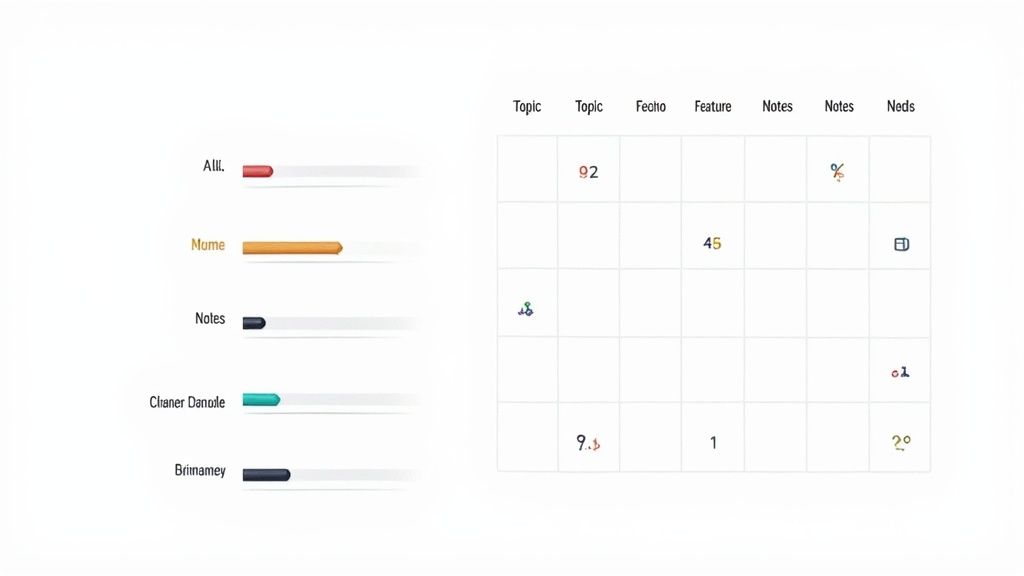
The Charting Method is a matrix-based approach that organizes information into columns and rows, making it perfect for comparing and contrasting multiple subjects. Instead of free-form text, notes are placed into a structured table, allowing for quick, at-a-glance analysis of relationships between different topics. This systematic layout makes it a strong candidate for the best note taking system when dealing with highly structured, comparative information.
How It Works
The core of the Charting Method is a pre-defined table. You create a grid where each column represents a distinct category you want to track, and each row represents a specific item or topic you are analyzing.
Columns (Categories): These are the features, characteristics, or questions you want to answer about each topic. For example, columns might be "Cause," "Effect," and "Key Figures."
Rows (Topics): These are the main subjects you are comparing. For instance, rows could be different historical events, scientific theories, or product options.
Cells (Data): You fill in the intersecting cells with concise notes that correspond to the topic (row) and category (column).
Who It's For
This method is highly effective for subjects that require direct comparison. A history student can use it to track different empires, with columns for government structure, economy, and decline. A business analyst can compare competitor products by creating columns for features, pricing, and market share. Its strength lies in transforming complex datasets into a visually organized and easily digestible format.
Actionable Tips for Implementation
To maximize the effectiveness of the Charting Method, consider these practical tips:
Prepare Your Table in Advance: Set up your columns and rows before the lecture or meeting begins so you can focus solely on filling in the data.
Use Abbreviations and Symbols: To save space and time, develop a shorthand for recurring terms. A legend can be helpful if your symbols are complex.
Keep Entries Brief: Focus on keywords and short phrases rather than full sentences. The goal is scannable information, not a detailed narrative.
Leave Room for Expansion: Add a blank "Notes" column or leave extra space in cells for unexpected information or personal reflections.
In Obsidian, this method is powerfully enhanced by plugins like Dataview, which can automatically generate charts from your notes' metadata. An Obsibrain user could create a template for "Product Comparison," with frontmatter fields that Dataview then pulls into a master comparison table, automating the entire process.
6. The Mapping Method: Visualizing Connections and Relationships
The Mapping Method is a highly visual, non-linear approach to note-taking that prioritizes relationships and hierarchies between concepts. Unlike traditional linear notes, this system uses a spatial layout, creating diagrams or flowcharts that illustrate how ideas connect. By organizing information graphically, it engages different parts of the brain, making it a powerful contender for the best note taking system for visual learners and anyone trying to grasp complex, interconnected subjects.
How It Works
This method transforms a blank page into a conceptual map. It’s more structured than a free-form mind map, focusing on the logical flow and relationships between pieces of information. The process is fluid and organic:
Start with a Central Idea: Place the main topic or question at the top or center of the page.
Branch Out with Sub-Topics: As new major themes are introduced, draw branches out from the central idea to represent them.
Connect Supporting Details: Add smaller branches for supporting facts, examples, or data, linking them to their corresponding sub-topics.
Illustrate Relationships: Use arrows, lines, and colors to show cause-and-effect, sequences, or correlations between different branches.
Who It's For
The Mapping Method shines when understanding the "big picture" is more important than capturing every detail. A history student can map the causes and effects of a major event, visually linking political, economic, and social factors. A programmer can use it to diagram application architecture, showing how different services interact. It’s ideal for brainstorming sessions, strategic planning, and understanding systemic relationships in fields like biology or sociology.
Actionable Tips for Implementation
To maximize the effectiveness of the Mapping Method, follow these best practices:
Prioritize Major Concepts: Start with the primary ideas before drilling down into granular details to build a strong structure.
Use Visual Cues: Employ arrows to show direction or influence, and color-code different categories of information for at-a-glance clarity.
Keep Text Minimal: Use keywords and short phrases instead of full sentences to keep the map clean and easy to read.
Leave Room to Grow: Start your map with plenty of white space, as you will likely need to add more connections and ideas as you go.
For those using digital tools like Obsidian, the Canvas feature is a perfect environment for implementing this method. You can create cards for each concept and draw visual connections between them, building a dynamic and expandable knowledge map. This aligns perfectly with the Obsibrain philosophy of structuring information visually to see relationships that linear notes might hide.
7. The Sentence Method: Simplicity for Maximum Clarity
The Sentence Method is a straightforward, linear approach to note-taking that prioritizes clarity and speed. Instead of complex layouts or diagrams, this technique involves capturing each distinct thought or piece of information as a separate, numbered sentence. Its power lies in its simplicity, making it a highly effective system for environments where information is delivered quickly and sequentially. For those overwhelmed by more complex frameworks, this might be the best note taking system due to its low cognitive load.
How It Works
The core principle of the Sentence Method is to isolate individual ideas for easy review and organization. The process is simple and requires no advance preparation, just a blank page or document.
One Idea, One Sentence: Each new piece of information you hear or read is written as a complete, concise sentence.
Sequential Numbering: Every sentence is given a number (1, 2, 3, and so on). This maintains the chronological flow of the information and makes it easy to reference specific points later.
New Line for Each Idea: You start a new, numbered line for every new sentence. This creates visual separation between distinct thoughts, preventing your notes from becoming a dense, unreadable block of text.
Who It's For
This method is ideal for fast-paced scenarios like lectures, meetings, or interviews where the goal is to capture as much accurate information as possible without getting bogged down in formatting. A journalist can use it to log key quotes during an interview, numbering each point for easy reference when writing their article. A project manager can rapidly capture action items and decisions during a team sync-up, ensuring no detail is lost in the discussion.
Actionable Tips for Implementation
To maximize the effectiveness of the Sentence Method, consider these practical tips:
Keep Sentences Concise: Focus on capturing the core of the idea. Avoid unnecessary words to maintain speed.
Use Abbreviations: Develop a personal shorthand for common terms to speed up your writing process even further.
Skip Lines for Emphasis: Leave a blank line between related but distinct topics to create thematic groups within your linear notes.
Review and Reorganize: After the session, review your numbered sentences. You can then group related points or transfer them to a more structured system.
Within a system like Obsidian, the Sentence Method is excellent for capturing fleeting thoughts in a "daily note" or as raw input for a meeting. Tools like Obsibrain can then help process these atomic notes, linking sentence #5 from a meeting to a specific project task or connecting sentence #12 from a lecture to a broader academic concept. This transforms simple linear notes into a powerful, interconnected knowledge base.
8. The PARA Method: Organizing for Actionable Knowledge
The PARA Method, popularized by Tiago Forte, is less of a note-taking technique and more of a comprehensive organizational system. It structures your digital life around actionability, ensuring that your notes are sorted by how you will use them, not just by what they are about. This system categorizes all information into four simple buckets, making it an excellent contender for the best note taking system for those who feel overwhelmed by digital clutter and need a framework that prioritizes execution.
How It Works
PARA stands for Projects, Areas, Resources, and Archives. This hierarchy organizes information based on its immediacy and connection to your goals:
Projects: These are short-term efforts with a clear goal and a deadline (e.g., "Launch Q3 Marketing Campaign"). Notes here are active and frequently used.
Areas: These represent long-term responsibilities or standards you need to maintain (e.g., "Health & Fitness" or "Client Management"). Information here is for regular review.
Resources: This is a library for topics of ongoing interest that aren't tied to a specific project or area (e.g., "AI Developments" or "Graphic Design Inspiration").
Archives: This is cold storage for completed or inactive items from the other three categories. Information is kept for future reference but is out of your active workspace.
Who It's For
PARA is ideal for project managers, freelancers, and entrepreneurs who juggle multiple active initiatives. A freelance web developer could manage each client build as a "Project," maintain their skills in an "Area" called "Professional Development," keep code snippets in "Resources," and move completed client files to "Archives." This system keeps their active workspace clean and focused only on what needs immediate attention.
Actionable Tips for Implementation
To successfully implement the PARA method, consider these best practices:
Start Small: Don't try to organize your entire digital life at once. Begin with your primary notes app and apply the four folders.
Review Regularly: Schedule a weekly or monthly review to move items between categories. A completed project should be moved to Archives promptly.
Be Ruthless with Archiving: The goal is to keep your active folders (Projects and Areas) lean. If something is no longer active, archive it.
Combine with Other Methods: Use PARA as your folder structure, but still use methods like Cornell or Zettelkasten for the notes within those folders.
In a system like Obsidian, PARA provides a powerful and intuitive folder structure. Obsibrain leverages this by allowing you to easily manage and link notes across your projects, areas, and resources. You can learn more about setting up a P.A.R.A folder structure to streamline your knowledge management workflow.
9. Active Note-Taking with the SQ3R Method: Integrating Notes into Active Study
The SQ3R Method is less a note-taking system and more a comprehensive framework for active reading and learning. Developed by Francis P. Robinson, it stands for Survey, Question, Read, Recite, and Review. This method treats note-taking as an integrated part of the comprehension process, transforming it from a passive transcription task into a dynamic tool for understanding. Its focus on engagement makes it a powerful contender for the best note taking system for anyone tackling dense or unfamiliar texts.
How It Works
The strength of SQ3R lies in its five-step, sequential process that builds understanding layer by layer:
Survey: Before reading, skim the chapter or article. Look at headings, subheadings, images, and the introduction/conclusion to get a general outline of the content.
Question: Turn headings and key points into questions. This primes your brain to look for answers, giving your reading a clear purpose.
Read: Actively read the material one section at a time with the goal of answering the questions you just formulated. Take notes specifically addressing these questions.
Recite: After reading a section, look away and try to recall the main points and answer your questions in your own words. This step solidifies initial comprehension.
Review: Periodically review your notes and the material. This spaced repetition is crucial for moving information from short-term to long-term memory.
Who It's For
This method is ideal for students preparing for exams, professionals studying for certifications, or anyone needing to deeply understand complex written material. A student studying for a history final can turn chapter headings into questions about key events and their consequences. A professional preparing for a project management certification can use SQ3R to deconstruct dense guidebooks, ensuring they grasp core principles rather than just memorizing terms. For those looking to deepen their engagement with texts, exploring various active reading strategies can be highly beneficial.
Actionable Tips for Implementation
To maximize the effectiveness of the SQ3R method, apply these best practices:
Create Questions First: Always formulate your questions before you start reading. This creates a mental framework for the new information.
Note-Taking as Answering: Structure your notes as direct answers to your questions. This keeps them focused and highly relevant.
Combine with Cornell: Use the Cornell method for your notes during the "Read" phase. Place your questions in the cue column and your detailed answers in the main column.
Space Out Your Reviews: Don't cram. Review your notes shortly after the session, then a day later, and then a week later to leverage the spacing effect for better retention.
In an Obsidian setup, you can create a template for the SQ3R process. Each note could have dedicated sections for "Survey," "Questions," "Reading Notes," and "Review Summary." This structured approach, a core principle in systems like Obsibrain, ensures you follow every step for maximum comprehension.
10. Digital Note-Taking with Sync Technology: Your Ideas, Everywhere
Digital Note-Taking with Sync Technology is less a single method and more a modern paradigm for capturing, organizing, and accessing information. This approach leverages cloud-based applications to synchronize your notes across multiple devices, ensuring your knowledge base is available whether you're on a laptop, tablet, or smartphone. It transforms static notes into a dynamic, living system that is accessible anywhere, solidifying its place as a cornerstone of any candidate for the best note taking system.

How It Works
The core principle is simple: a central, cloud-based repository stores your notes. Any change made on one device is automatically updated across all others connected to that account. This is powered by applications built for this purpose.
Capture Instantly: Jot down an idea on your phone while on the go. By the time you get to your desk, that note is already on your computer, ready to be expanded.
Organize Centrally: Use folders, tags, and notebooks to structure your information. This organizational framework is mirrored across all your devices, creating a unified system.
Access On-Demand: Whether you need to pull up meeting minutes on your tablet or review study notes on your laptop, your entire library of notes is always just a few taps away.
Who It's For
This approach is ideal for anyone who works across multiple locations and devices. A student can use OneNote to capture lecture notes on a tablet and later review them on a laptop. A project manager can use a shared Evernote or Notion notebook to collaborate with a team, ensuring everyone has the latest information. For those who frequently capture ideas on the move, exploring the best audio to text converter tools can seamlessly transform spoken thoughts into searchable digital notes, further enhancing accessibility.
Actionable Tips for Implementation
To maximize the benefits of a synced digital system, follow these guidelines:
Choose Your Platform Wisely: Select an application that fits your workflow. Consider factors like user interface, features, and integration with other tools you use.
Establish a Tagging System: Use consistent tags to categorize notes. This makes searching for specific information across thousands of notes incredibly fast and efficient.
Enable Offline Access: Ensure your chosen app allows for offline access. This prevents you from being locked out of your notes when you don't have an internet connection.
Perform Local Backups: While the cloud is reliable, it's wise to periodically back up your most critical notes to a local drive for an extra layer of security.
In Obsidian, this is managed through services like Obsidian Sync, which provides end-to-end encryption for privacy. Combining this with a system like Obsibrain allows for the creation of a powerful second brain that is not only secure but also universally accessible. This setup is perfect for implementing a frictionless quick capture workflow. To learn more about this, explore how quick capture works in an advanced note-taking environment.
Top 10 Note-Taking Systems Comparison
Cornell Note-Taking System
Moderate — page layout & review routine
Low — paper/digital template; moderate initial time
Highly organized notes; improved active recall and exam prep ⭐📊
Lectures, exam study; Tip: set up page beforehand, summarize within 24h 💡
Zettelkasten (Slip Box) Method
High — numbering, linking, ongoing maintenance 🔄
High — time investment; digital tools (Obsidian, Roam) recommended ⚡
Deep, interconnected personal knowledge base; long-term idea generation ⭐📊
Research, writing, PhD work; Tip: start small and link regularly 💡
Mind Mapping
Moderate — visual layout and branching 🔄
Low–Medium — pen/paper or mind‑map software; some time to draw ⚡
Enhanced creativity and concept relationships; strong for brainstorming ⭐📊
Brainstorming, planning, visual learning; Tip: limit main branches to 5–7 💡
Outlining Method
Low — hierarchical numbering; easy to adopt 🔄
Low — any medium; minimal setup time ⚡
Clear logical structure for sequential material; easy navigation ⭐📊
Essays, lectures, technical docs; Tip: keep parallel structure and ≤3–4 depth levels 💡
The Charting Method
Moderate — matrix setup and consistent categories 🔄
Medium — table tools or pre-printed grids; planning required ⚡
Compact comparative views; fast scanning and structured comparisons ⭐📊
Comparative analyses, science tables, product comparisons; Tip: create table before session 💡
The Mapping Method
Moderate–High — spatial layout and connectors 🔄
Medium — drawing tools or diagram software; time to design ⚡
Clear visualization of relationships and systems; big‑picture clarity ⭐📊
Complex systems, architecture, cause‑effect mapping; Tip: start with major nodes and use arrows/colors 💡
Sentence Method
Low — simple numbered sentences; quick to use 🔄
Low — minimal tools; fast transcription ⚡
Fast capture of ideas; chronological record but weaker linking ⭐📊
Fast lectures, meetings, interviews; Tip: number lines and keep sentences concise 💡
PARA Method (Project/Area/Resource/Archive)
Moderate — initial categorization and maintenance 🔄
Medium — digital workspace (Notion, Obsidian); recurring review time ⚡
Actionable organization across projects and responsibilities; reduced friction ⭐📊
Productivity systems, digital knowledge org; Tip: monthly reviews and clear naming conventions 💡
SQ3R (Survey, Question, Read, Recite, Review)
High — five-step active study process 🔄
Medium — time and discipline; best with textbooks ⚡
Strong comprehension and long‑term retention; exam readiness ⭐📊
Textbook study, certification prep; Tip: generate questions before reading and space reviews 💡
Digital Note‑Taking with Sync Technology
Low–Moderate — learning tools and workflows 🔄
Medium — devices, internet, possible subscriptions; setup time ⚡
Ubiquitous access, searchability, collaboration; efficient retrieval ⭐📊
Multi‑device users, teams, modern workflows; Tip: use consistent tags, enable offline and backups 💡
From Systems to Synthesis: Building Your Ultimate Productivity Hub with Obsibrain
Our journey through the landscape of note-taking has revealed a powerful truth: the search for the single best note taking system is often a misguided quest. The true power lies not in rigidly adopting one method, but in thoughtfully synthesizing the best elements of several. You might find the structured clarity of the Cornell Method perfect for academic lectures, while the free-flowing nature of Mind Mapping is ideal for your next creative project. Similarly, the robust organizational framework of PARA can bring order to your digital life, while the networked principles of Zettelkasten help you forge new, insightful connections between ideas.
The challenge, however, is not in understanding these systems in isolation. It is in making them work together harmoniously within a single, cohesive environment. Switching between a notebook for Cornell notes, a separate app for mind maps, and another for task management creates friction. This digital fragmentation scatters your focus, duplicates effort, and ultimately erects barriers between your thoughts, your plans, and your actions. This is where a unified, flexible platform becomes not just a convenience, but a necessity for deep, productive work.
Bridging the Gap: From Theory to Actionable Workflow
Obsidian provides the foundational layer for this integration with its local-first, plain-text, and link-based philosophy. It offers the raw potential to build a truly personalized productivity engine. But building that engine from the ground up requires significant time, experimentation, and technical know-how. You have to design the folder structures, configure the plugins, write the templates, and establish the workflows-a process that can take hundreds of hours away from the actual work you need to do.
This is the exact problem Obsibrain was designed to solve. It is not just another template; it is a pre-built, fully integrated productivity system within Obsidian that takes the powerful theories we've discussed and makes them immediately practical. It acts as a strategic overlay, providing the structure and automation needed to fuse different methodologies into a seamless workflow, saving you the steep learning curve.
Your Integrated Hub: Real-World Scenarios with Obsibrain
Imagine a workflow where every piece of information enhances the others. With Obsibrain, this becomes your daily reality.
For the Student or Researcher: You attend a lecture and use a pre-built Cornell Note template to capture key concepts. Later, as you review, you create atomic notes for specific ideas, linking them Zettelkasten-style back to the original lecture note and other related course materials. Actionable items, like "research Professor Smith's 2021 paper," are captured and automatically appear in your task list with a due date.
For the Project Manager: You start a new client project, which is created as a "Project" note under the PARA methodology. All related meeting minutes (captured using the Sentence Method), brainstorming sessions (linked from a mind map), and resource documents are bi-directionally linked to this central project note. Tasks delegated to your team are managed directly within Obsidian, providing a single source of truth for the entire project lifecycle.
For the Lifelong Learner: You read an insightful article and use a quick capture command to save key takeaways. During your weekly review, Obsibrain prompts you to process this fleeting note. You decide it's a valuable "Resource" for an "Area" of your life called "Personal Finance." You flesh it out, link it to other notes on investing, and create a task to "open a high-yield savings account," directly connecting learning to tangible life improvement.
By providing a unified hub, Obsibrain eliminates the friction between capturing, organizing, and acting. It transforms your collection of disparate notes into a dynamic, interconnected knowledge base that actively supports your goals. You are no longer just collecting information; you are building a second brain that thinks and works alongside you, ensuring that the best note taking system is the one that is holistically integrated into every facet of your productive life.
Stop spending hundreds of hours building your system and start using it today. Obsibrain gives you a complete, professionally designed productivity hub inside Obsidian, so you can focus on what truly matters. Discover the ultimate implementation of the best note taking system for your needs at Obsibrain.
Last updated